What Is A Status Report Writing?
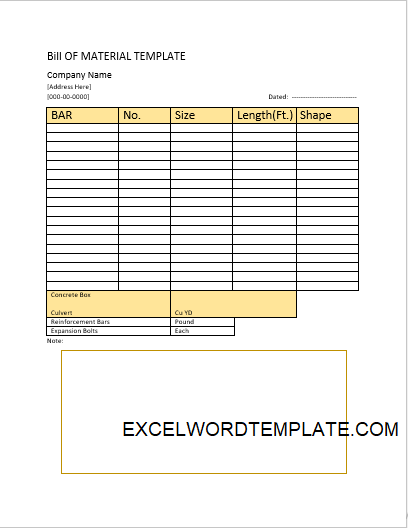
Here you will find a free Top 4 Weekly Status Report Template created in Microsoft Excel. A basic Status Report informs its reader about the sequence of events, data collected, targets achieved, or any other information every week. It can easily pertain to various entities. As a mechanical device like a pump or compressor, any ongoing project. An operating plant with multiple parameters in the report or sales of a product or service, hence the list never ends. However, a Weekly Status Report is mostly arranged for ongoing projects.
What is a Weekly Status Report ?
A weekly status report is a regular update that show, what work was completed what tasks are still in progress, any issues or risks faced and plans ,priorities for the next week.
Pros And Cons Of Weekly Report:
A standard Weekly Report has myriads of data /information about the project. As a result before stuffing that Excel page with intricate details of your weekly incidents on this project, remember you must understand what the audience is looking for. If the sponsors of the project want to see a presentation on weekly status, as a result, they might only be interested in the percentage progress made this week and budget sufficiency/insufficiency predictions. If the manager of the project wants to see the Weekly Status Report, he/she would like to get into some details of individual works taken up in the project.
How To Make Weekly Status Report Template is 5 Minutes!
Here are easy and practical steps to make this report through our template. How some shortcomings/loopholes/problems can delay the project? These Status Report Templates are perfect designs for freshers and amateurs to communicate with the higher management. Because innovative ideas and existing issues must be communicated through this platform. Your report format must contain a comparison with the weekly targets. For example, 56% completion was achieved this week (say 7th week) as compared to the predicted 54% completion. So most modern firms use PowerPoint or Excel.
Top 4 Status Report Template:
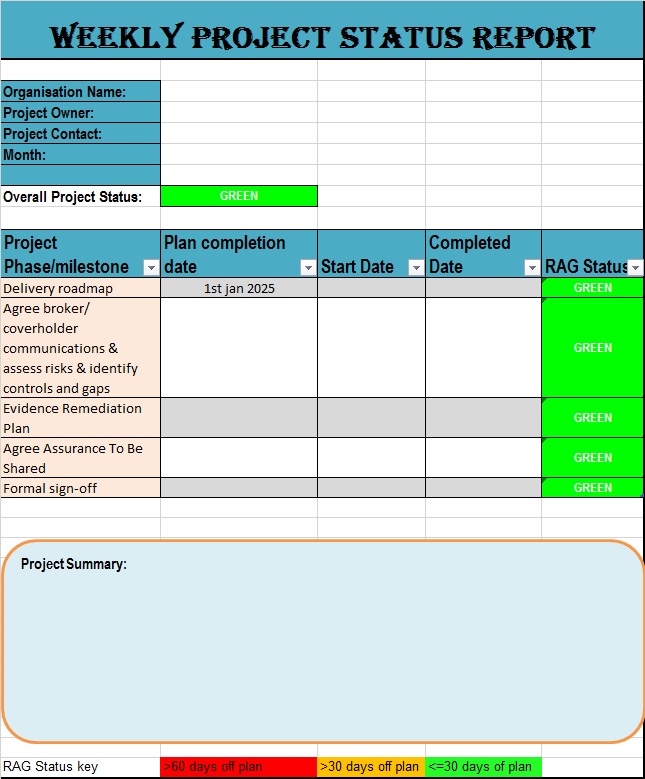
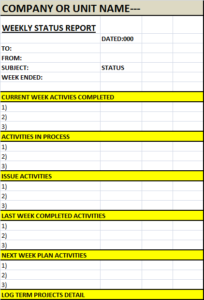
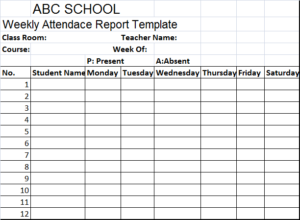
Below you can see an easy and general template for the Weekly Status Report. As it is created in MS Excel, it is basic and can accommodate any extra information that you may need. Anyone with little or no knowledge of MS Excel can use and make a professional report with this template. You can download the free report template from the link given below and customize it according to your procedures.

Why is a Weekly Status Report Important?
Weekly status report provides many benefits including,
- Improved communication.
- Better tracking of progress.
- Early identification of problems or delays.
- Clear documentation.
- Higher productivity.
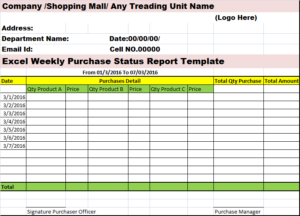
You can download the free Excel Weekly Sales Status Report Template From the link below.
Key Elements of a weekly Status Report:
1. Summary
A short overview of the week’s overall progress and current project status.
2. Completed Tasks
Lists what has been successfully finished during the week.
3. Work in Progress
Shows ongoing tasks and their current status.
4. Issues and Risks
Highlights blockers, dependencies, or risks that may impact delivery.
5. Plan for Next Week
Outlines priorities and upcoming tasks for the next reporting period.
Conclusion
A well-structured weekly status report is essential for effective communication and successful project management. By using a clear format, focusing on progress and risks, and updating it consistently, teams can improve productivity, accountability, and decision-making.
Whether you are a team member, project manager, or business leader, mastering weekly status reporting will help you stay organized and aligned with your goals.
Frequently Asked Questions (FAQs)
1. What is a weekly status report?
A weekly status report is a document that summarizes work completed during the week, current progress, challenges, and plans for the upcoming week. It helps teams and managers track progress and stay aligned.
2. What should be included in a weekly status report?
A good weekly status report should include:
-
Summary of the week
-
Completed tasks
-
Ongoing tasks
-
Issues or risks
-
Plan for next week
-
Overall status (On Track, At Risk, or Delayed)
3. Who prepares a weekly status report?
Weekly status reports are usually prepared by team members, project managers, team leads, or department heads, depending on the organization and project structure.
4. Why are weekly status reports important?
Weekly status reports improve communication, provide visibility into progress, help identify risks early, and reduce the need for frequent meetings.
5. What is the best format for a weekly status report?
The best format is a simple table, often created in Excel, that clearly shows tasks, owners, status, progress, risks, and next steps. The format should be consistent each week.
6. Can a weekly status report be created in Excel?
Yes, Excel is one of the most commonly used tools for weekly status reports because it allows easy updates, formatting, and color-coded status tracking.
7. How long should a weekly status report be?
A weekly status report should be short and concise, usually one page or a single Excel sheet. The goal is quick understanding, not detailed documentation.
8. What is the difference between a weekly report and a status report?
A weekly report may summarize general activities, while a weekly status report focuses specifically on progress, task status, risks, and upcoming plans.
9. How do you write an effective weekly status report?
To write an effective weekly status report:
-
Be clear and honest
-
Focus on results and progress
-
Highlight risks early
-
Use consistent formatting
-
Avoid unnecessary details
10. How often should weekly status reports be shared?
Weekly status reports should be shared once a week, usually at the end of the week or at the beginning of the next week, depending on team preferences.